Unreal5 공부/TIL
2026/4/21 TIL
anna59
2026. 4. 21. 22:48
오늘의 목표
- 아침 코드카타
- 언리얼 기초 강의 수강
- 언리얼 마스터 과제
추가목표:
- 7번 과제 도전기능
코드카타
[문제] 이상한 문자 만들기
#include <stdio.h>
#include <stdbool.h>
#include <stdlib.h>
#include <string.h>
#include <ctype.h>

// 파라미터로 주어지는 문자열은 const로 주어집니다. 변경하려면 문자열을 복사해서 사용하세요.
char* solution(const char* s) {
    // return 값은 malloc 등 동적 할당을 사용해주세요. 할당 길이는 상황에 맞게 변경해주세요.
    int len = strlen(s);
    char* answer = (char*)malloc(sizeof(char) * (len + 1));
    char* temp = (char*)malloc(sizeof(char) * (len + 1));

    int count = 0;
    int wordBegin = 0;
    for (int i = 0; i <= len; ++i)
    {
        if (s[i] == ' ' || s[i] == '\0') // 공백 또는 문자열 끝 문자가 아닐 때
        {
            strncpy(temp, s + wordBegin, count); // 중요
            // null terminator 추가
            temp[count] = '\0';
            for (int j = 0; j < count; ++j) // strlen(temp) 대신 count
            {
                temp[j] = (j % 2 == 0) ? toupper(temp[j]) : tolower(temp[j]);

            }

            // 공백 위치 -> 단어 시작 위치로 변경
            strcpy(answer + wordBegin, temp);

            // 공백 그대로 넣어주기
            if (s[i] == ' ')
            {
                answer[i] = ' ';
            }
            count = 0;
            wordBegin = i + 1;
        }
        else
        {
            ++count;
        }

    }

    // 문자열 종료 문자 추가
    answer[len] = '\0';
    return answer;
}
개념 정리
함수
strcpy() -> '\0' 문자열 종료 문자를 넣는 걸 잊지 말 것.
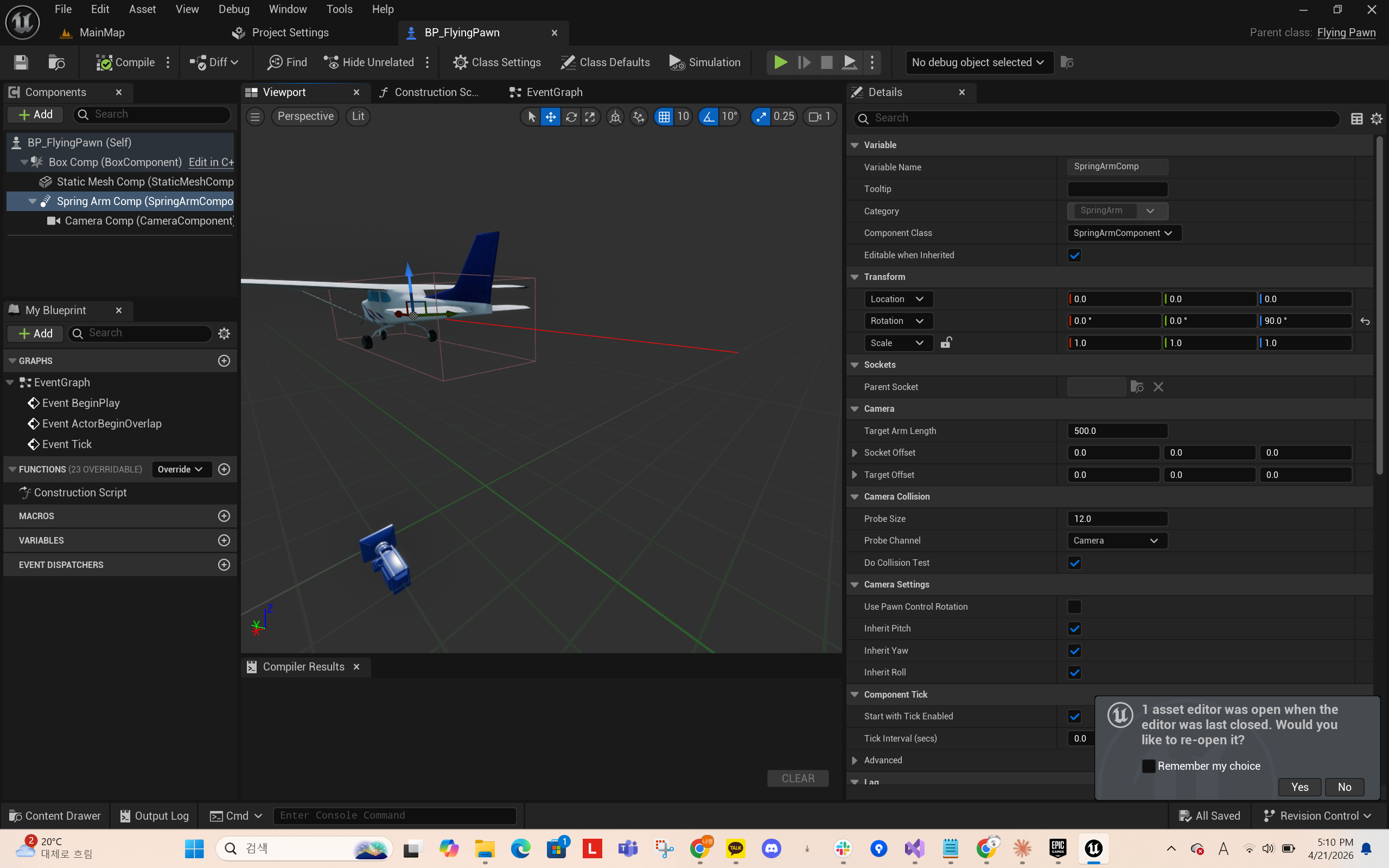
[오류]
카메라 컴포넌트가 스트링암 컴포넌트에 붙어있지 않다.
확인해보니 블루프린트를 생성한 뒤에 c++ 파일에서 컴포넌트를 수정한 탓에 생긴 오류인 것 같아 블루프린트를 지우고 다시 생성해줬더니 해결되었다.
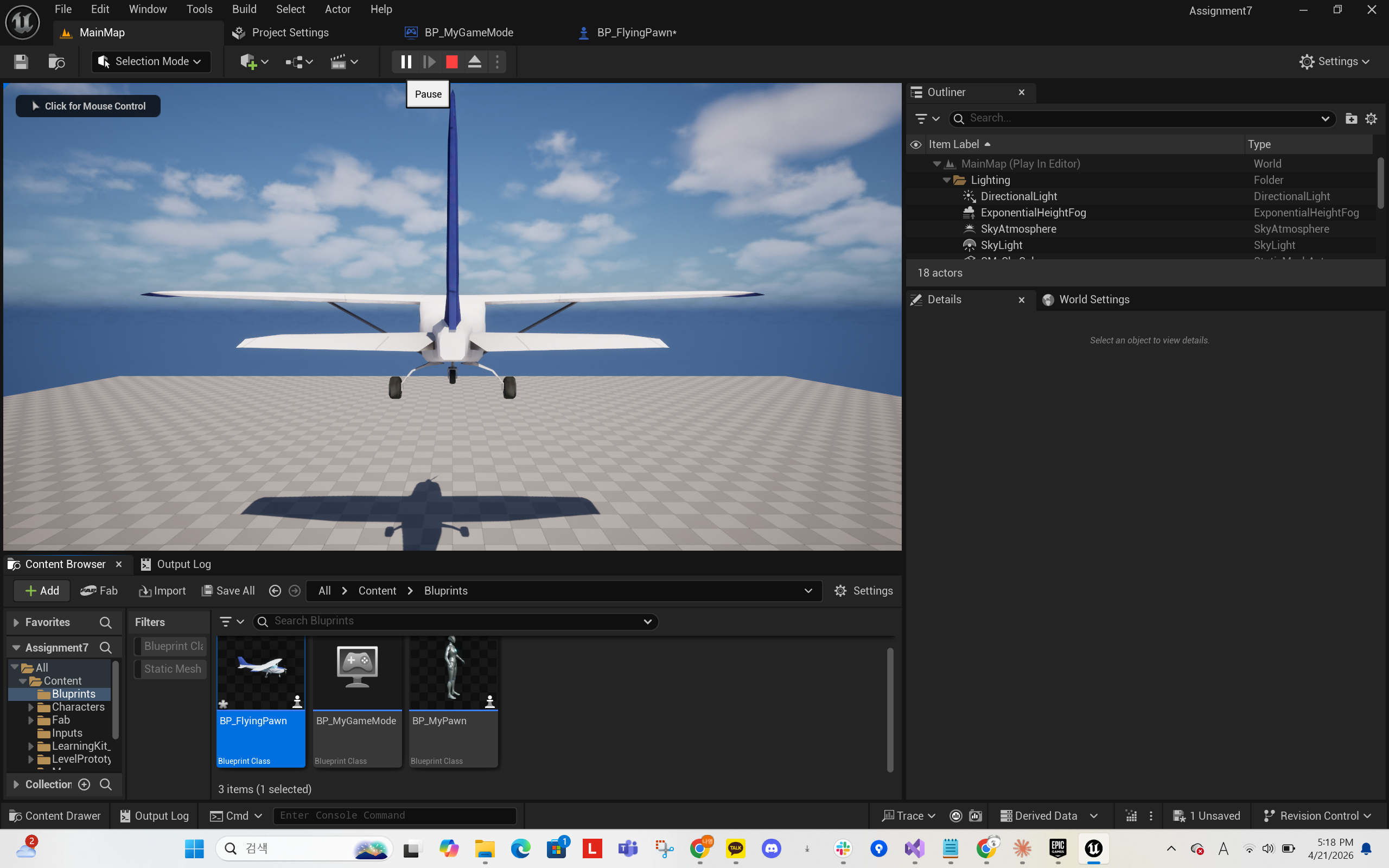
Flying Pawn 완성!